
Take a look before you sign up
From the first booking
to the final invoice.
Click through three stages of a typical workshop workflow. These are real product screens with fictional example records, not a live account.
Book the work
Add the customer, vehicle, complaint and appointment time. See the week ahead and the time you have available.
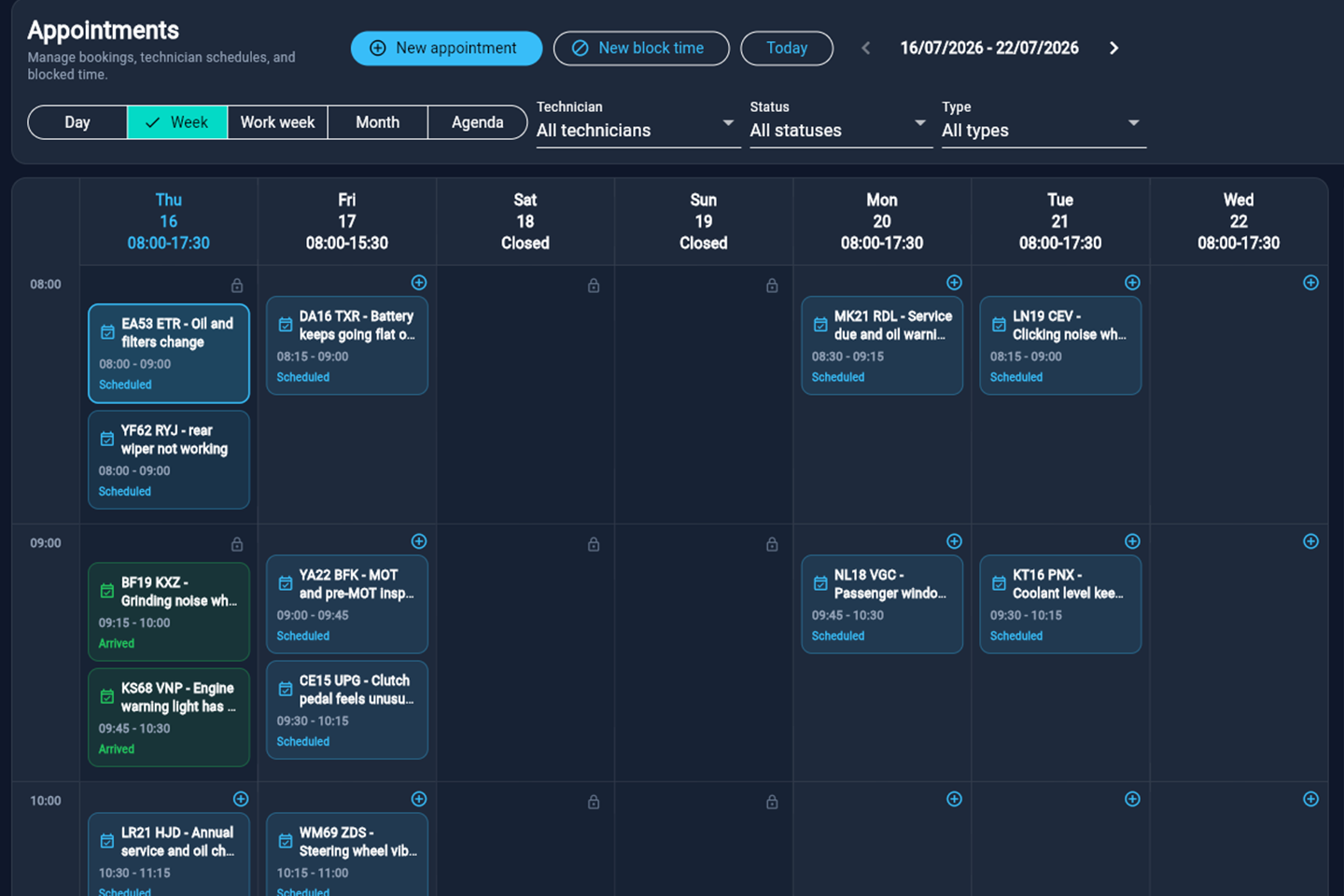
The appointment calendar supports technician schedules and blocked time. Open full-size screenshot ↗
Keep the job moving
See which jobs are being diagnosed, awaiting approval or waiting for parts. Keep the next action with the job.
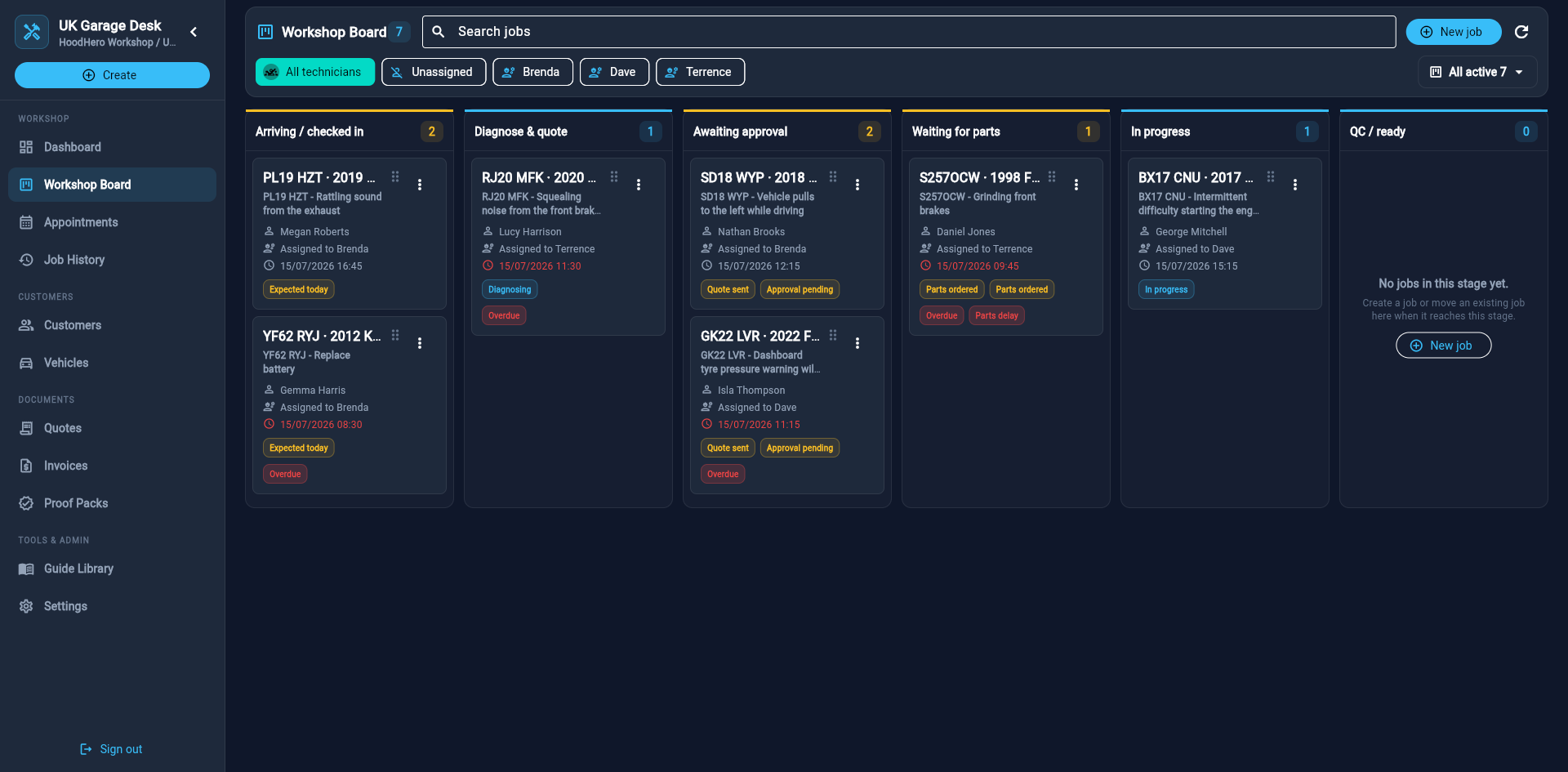
Open a job to work with its customer, vehicle, findings and documents. Open full-size screenshot ↗
From approved quote to invoice
Keep the accepted work and price together, then create the invoice from the quote. Send a payment link once your Stripe account is connected.
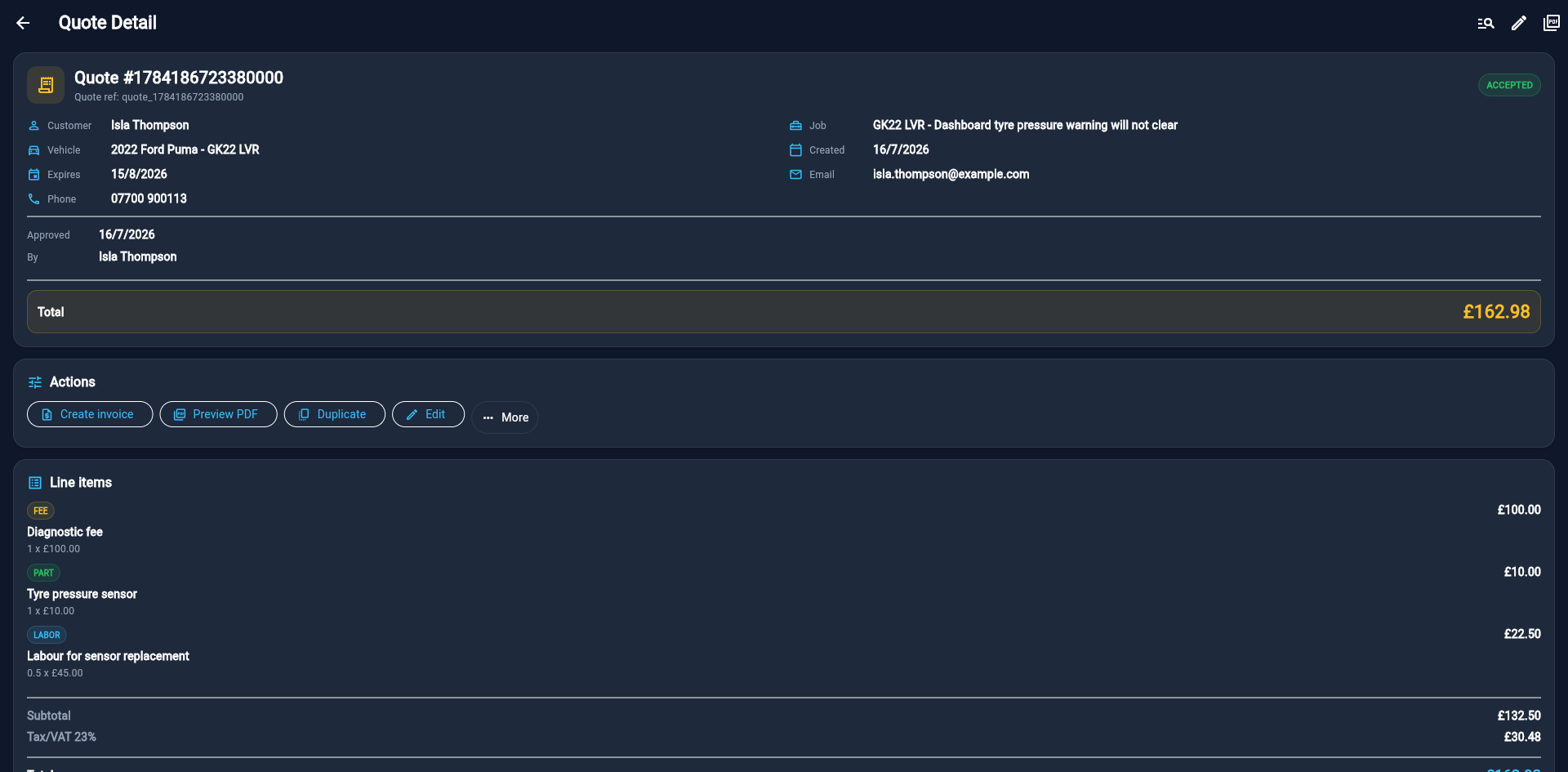
The example shows an accepted quote. Create invoice carries the approved work into invoicing. Open full-size screenshot ↗
Try it with your next job.
Start with one customer, one vehicle and one booking. Garage Pro includes the desktop Mechanic Desk and mobile app access.
Start your free 7-day trial7 days free · £0 today. Then £12.99/month or £120/year at introductory prices. Add payment details only if you want to continue.
Need help? Contact HoodHero support. No sales call needed.