
Before the callout
Book the work, record the customer and vehicle, and keep the complaint and job details together before you leave the workshop or driveway.
Mobile mechanic software for UK callouts
HoodHero gives UK mobile mechanics one place to plan callouts, keep customer and vehicle details with the job, and turn the work into a clear quote and invoice. It is built for independent mechanics, including one-person businesses.
7 days free · £0 today. Then £12.99/month or £120/year at introductory prices. Add payment details only if you want to continue.
Book the work, record the customer and vehicle, and keep the complaint and job details together before you leave the workshop or driveway.
Use mobile field tools to record findings, photos and repair evidence. Keep the work connected to the job record for the handover.
Create the quote or invoice, record payment and keep the vehicle history ready for the customer's next visit.
A clear distinction: the full Mechanic Desk is designed for a desktop browser. Mobile field tools complement that workspace; the desktop board shown below is not a phone-only replacement. Preview it first to check it fits how you work.
A practical mobile workflow
Keep the parts of a mobile job that are easiest to lose—vehicle context, findings, approvals and paperwork—together from the first booking to the final invoice.
Start with the customer, vehicle, complaint and appointment details so you arrive with a useful brief.
See jobs, customers and vehicles →Keep findings, photos, repair evidence and customer approvals attached to the job rather than scattered across messages.
See proof of work →Turn approved work into a customer-ready invoice and use a payment link when your connected Stripe account is ready.
See garage quoting and invoicing →Practical help for the admin
Start with a booking brief, keep findings and customer decisions with the job, then finish the invoice while the details are clear. Read the mobile mechanic bookings, quotes and invoices guide for an example working day and a step-by-step process.
Still using paper? Download the free editable garage job card template to give each callout a consistent record.
No login needed to look around
Real HoodHero screens with fictional sample records, showing booking, job management and quoting.
Add the customer, vehicle, complaint and appointment time. See the week ahead and the time you have available.
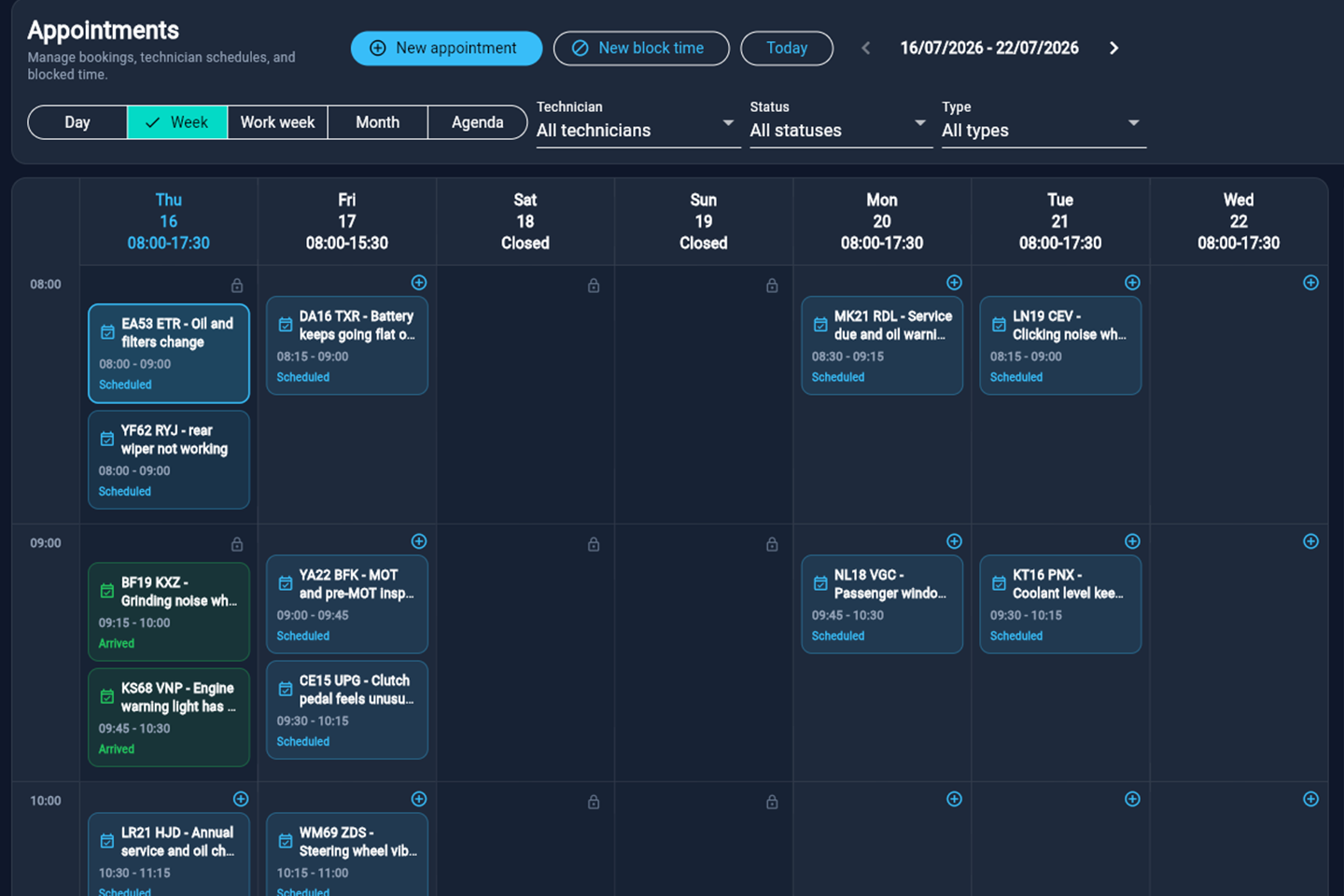
The appointment calendar supports technician schedules and blocked time. Open full-size screenshot ↗
See which jobs are being diagnosed, awaiting approval or waiting for parts. Keep the next action with the job.
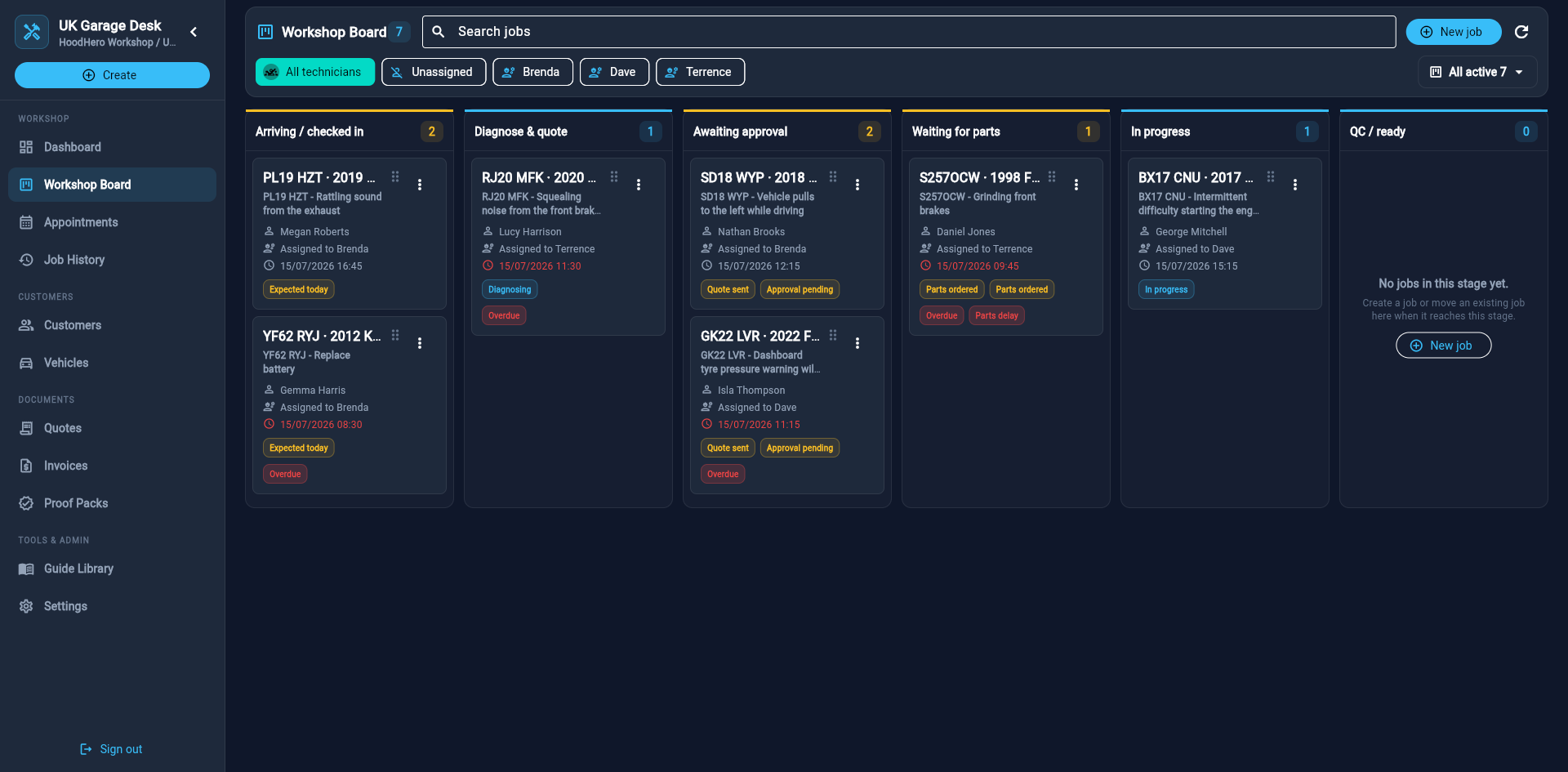
Open a job to work with its customer, vehicle, findings and documents. Open full-size screenshot ↗
Keep the accepted work and price together, then create the invoice from the quote. Send a payment link once your Stripe account is connected.
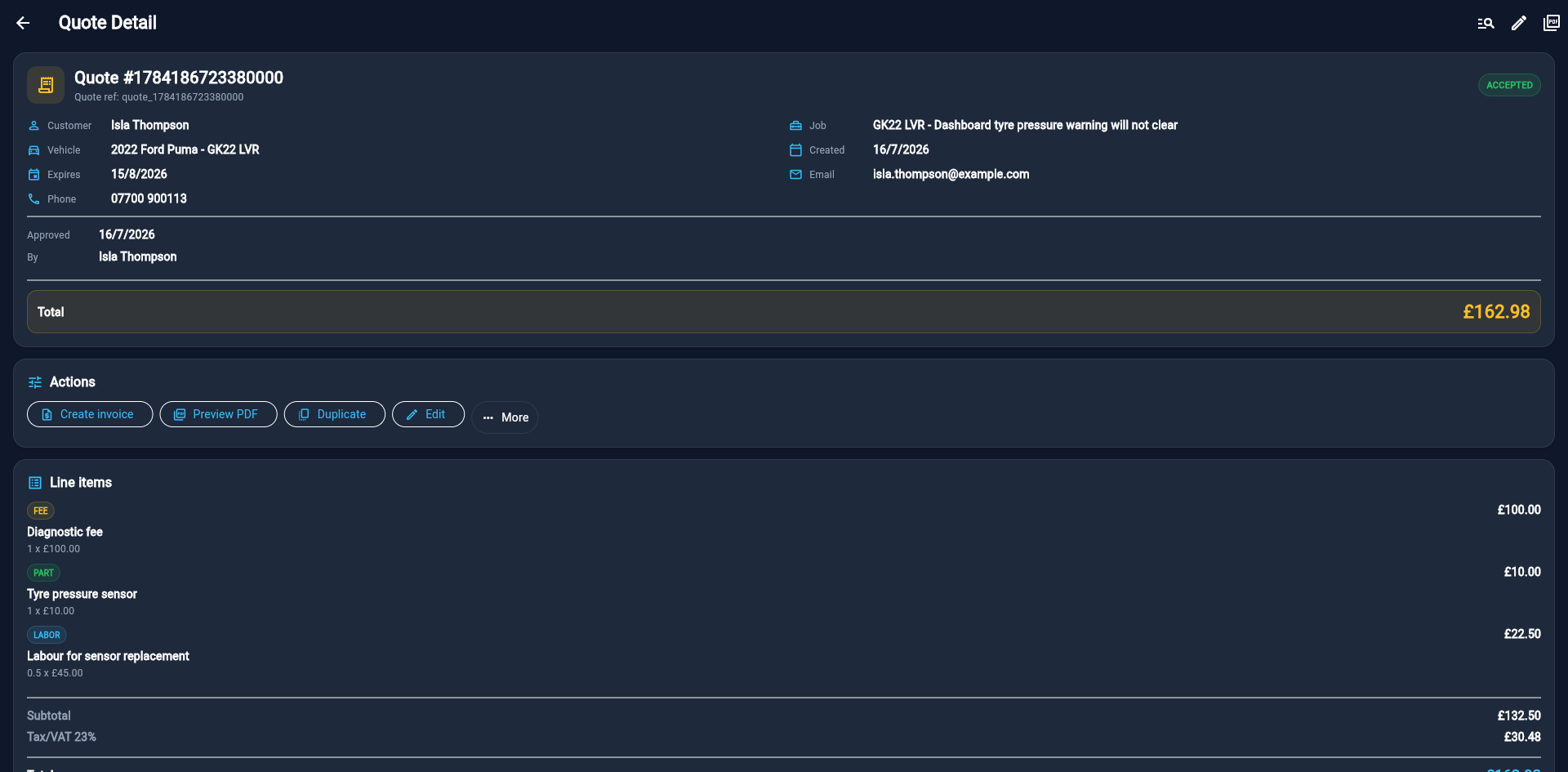
The example shows an accepted quote. Create invoice carries the approved work into invoicing. Open full-size screenshot ↗
There is no sales call to book. HoodHero support is available by email if you need help getting started.
7 days free · £0 today. Then £12.99/month or £120/year at introductory prices. Add payment details only if you want to continue.
Read the setup guide → See the independent-garage workflow → Read the garage software checklist →