
The simplest mobile mechanic admin process gives each callout one job reference. Keep the booking, vehicle, findings, customer decision and invoice attached to that reference, even if you use different tools for each step.
You do not need to change every system at once. Start with the information that gets lost between the customer call, the visit and the evening paperwork.
Before the callout: create a useful booking brief
Ask for the registration, contact details, location, requested work and the symptoms in the customer's own words. Confirm access arrangements and whether the planned work is suitable for that location. Check parts and vehicle specification before committing to a repair.
- Separate an inspection or diagnosis booking from an agreed repair.
- Record the agreed arrival window and contact method.
- Keep any agreed callout charge, diagnostic scope and initial price with the booking.
- Allow time for travel, parts collection and updates as well as the repair itself.
Use our free job card worksheet if you currently work from a notebook. It gives the visit a consistent record without requiring a software subscription.
At the vehicle: record findings before changing the scope
A symptom reported on the phone is a starting point. Record what you inspected, what you found and any useful readings or photographs. If the work changes, prepare a clear revised quote and record the customer's decision before proceeding.
A useful approval record
“Quote Q-207, version 2: [specific additional work] at the stated total. Customer approved by [method] at [time/date]. [Other recommendation] deferred.”
This is an example of how to make the record specific. It is not a substitute for the terms and customer-agreement process used by your business.
Keep “awaiting approval”, “waiting for parts” and “ready to invoice” distinct. They need different next actions: a customer response, a supplier update or finished paperwork.
After the work: invoice while the details are still clear
Check the completed work against the approved scope. Record actual labour and parts, include any agreed changes, and explain the work in terms the customer can follow. Use a suitable invoicing system for the details required by your business and tax status.
Track an invoice being sent separately from payment being received. If you accept a bank transfer or cash, keep a matching payment record. If you send a payment link, use the provider's confirmed payment result rather than treating the link itself as proof of payment.
HoodHero's quoting and invoicing workflow supports connected Stripe payment links after setup; provider availability and fees apply separately. Manual payment records are also available.
Example: three callouts, three different next actions
Illustrative day · fictional jobs
- 08:30 · Ford Transit · servicing
- Work completed, checks recorded, ready to invoice.
- 11:00 · Vauxhall Corsa · starting complaint
- Findings recorded; revised quote awaiting a customer decision.
- 14:00 · Volkswagen Golf · planned repair
- Waiting for a confirmed parts delivery before agreeing the next visit.
A list of vehicle names alone does not show what to do next. Add a status and the next action to each job so the evening review becomes a short decision list.
What should mobile mechanic software keep together?
When evaluating software, test a complete example: book one job, add findings, prepare a quote, record the decision and create the invoice. Check where each step happens, what you can use at the vehicle and what still needs a desktop.
HoodHero for mobile mechanics combines a desktop Mechanic Desk with mobile field tools. The full workspace is designed for a desktop browser; the mobile tools complement it. Preview the workflow rather than assuming every desktop task is available on a phone or works offline.
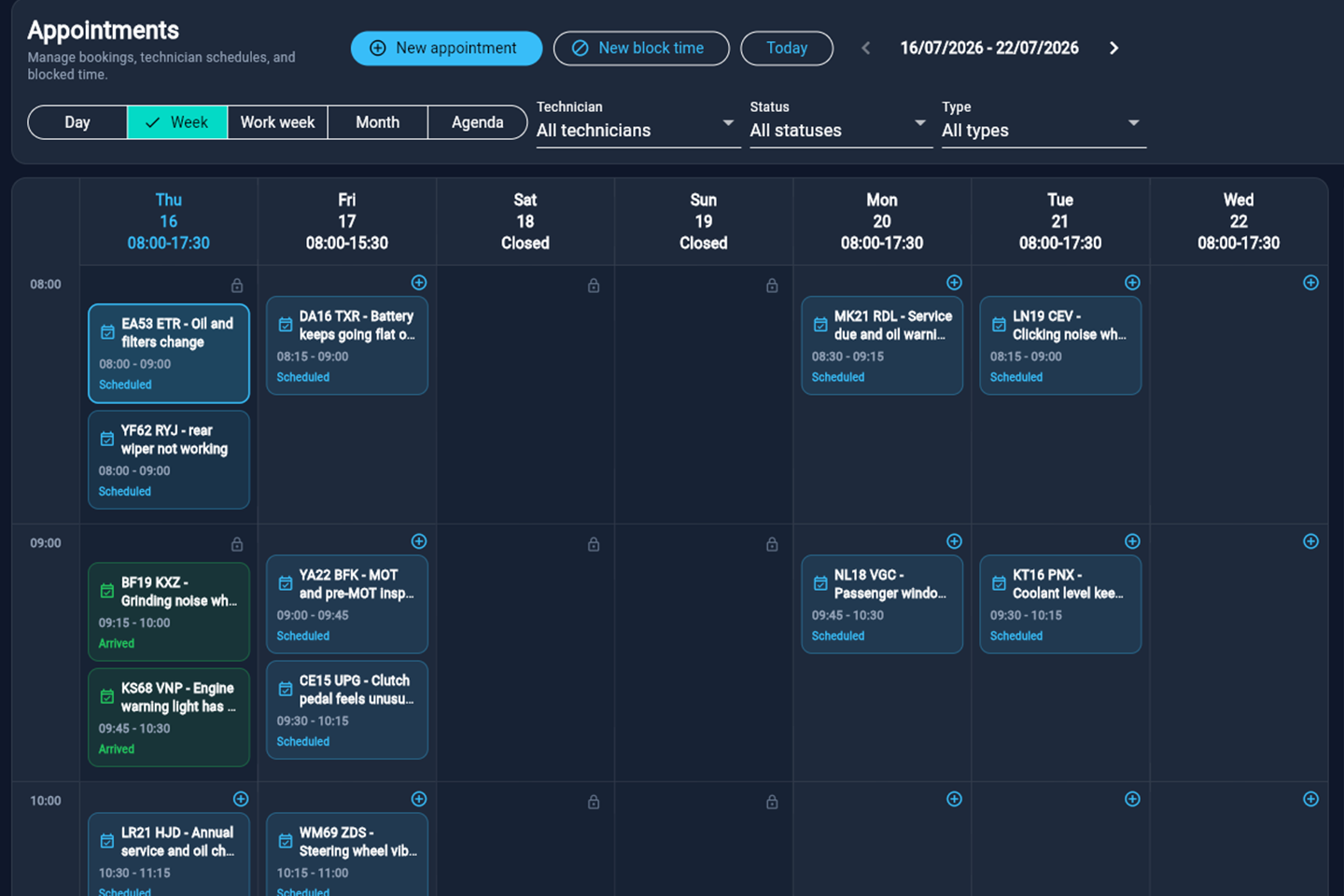
Before choosing a system, use the garage management checklist to check the wider workflow. Start with one customer and one real booking, then expand once the process fits.
Put it into practice
See the workflow in Mechanic Desk.
Look through real HoodHero screens with fictional example jobs before deciding whether it fits your workshop.
7 days free · £0 today. Then £12.99/month or £120/year at introductory prices. Add payment details only if you want to continue.